Home • Help • Administrator Tools
Work Order Types
Work Order Types define the categories of work orders that can be created.
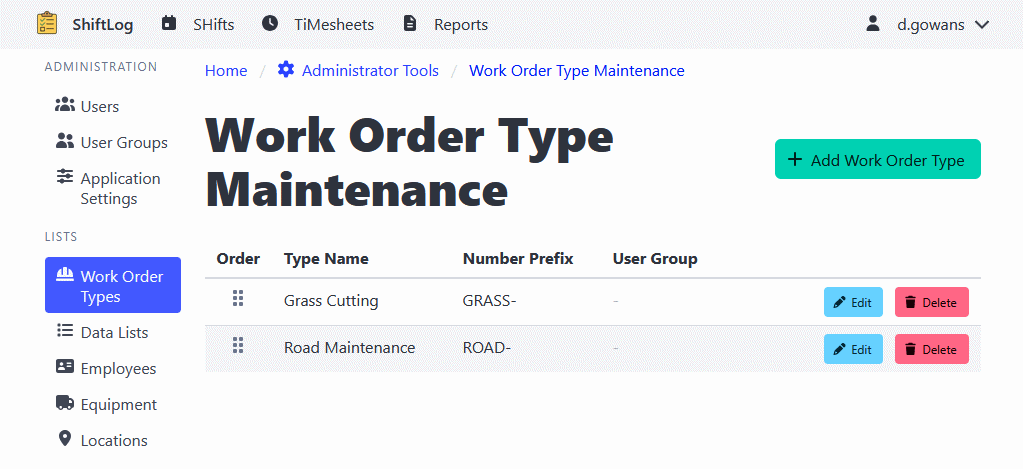
Creating a Work Order Type
- Navigate to Administrator Tools > Work Order Types.
- Click the Add Work Order Type button.
- Enter the type information:
- Type name
- Work order number prefix
- Click Add Work Order Type to create the type
Reordering Work Order Types
- Navigate to Administrator Tools > Work Order Types.
- Use the drag-and-drop interface to reorder types.
- The order determines how types appear in dropdown lists.
Editing Work Order Types
- Navigate to Administrator Tools > Work Order Types.
- Find the type you want to edit.
- Click the Edit button.
- Update the information as needed.
- Click Update Work Order Type to apply changes.
Deleting Work Order Types
Note: Deleting a work order type will not delete work orders that use that type. It will only prevent future use of the type.
- Navigate to Administrator Tools > Work Order Types.
- Find the type you want to delete.
- Click the Delete button.
- Confirm the deletion.