Home • Help • Administrator Tools
Data Lists
Data Lists are customizable dropdown lists used throughout the application to maintain consistency in data entry.
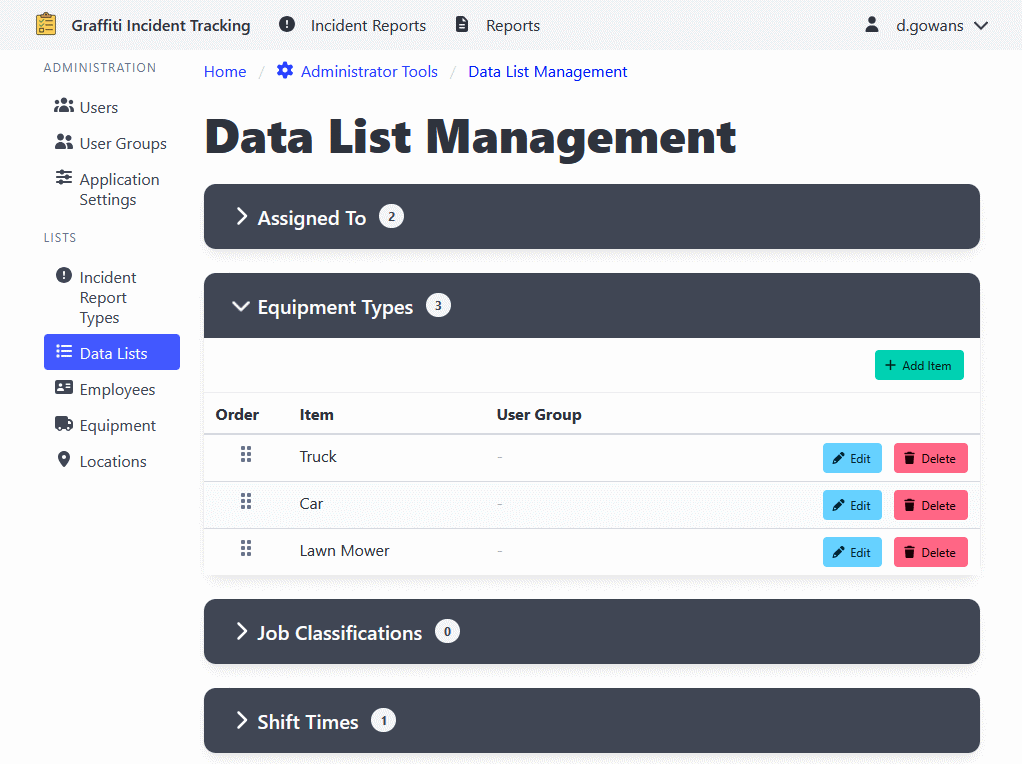
Types of Data Lists
System Lists
System lists are pre-configured lists that are essential for the application’s core functionality. These lists cannot be renamed or deleted and are identified by the application itself.
Examples include:
- Equipment Types
- Work Order Priorities
- Work Order Statuses
- Shift Types
- Timesheet Types
Non-System Lists (Custom Lists)
Non-system lists are custom lists that administrators can create to meet
specific organizational needs.
These lists are identified by a dataListKey that starts with the “user-“ prefix.
Non-system lists can be:
- Created with custom names
- Renamed at any time
- Deleted when no longer needed
Managing Data Lists
- Navigate to Administrator Tools > Data Lists.
- Select the data list you want to manage from the available lists.
Creating a Non-System Data List
- Click the Create Data List button at the top of the page.
- Enter a unique Data List Key that starts with “user-“ (e.g., “user-myCustomList”).
- Enter a Display Name for the list (e.g., “My Custom List”).
- Click Create Data List.
⚠️ The Data List Key cannot be changed after creation.
Renaming a Non-System Data List
- Find the non-system list you want to rename (marked with a “Custom” tag).
- Click the Rename List button.
- Enter the new display name.
- Click Update Name.
Note: Only non-system lists can be renamed. System lists maintain their original names.
Deleting a Non-System Data List
- Find the non-system list you want to delete (marked with a “Custom” tag).
- Click the Delete List button.
- Confirm the deletion.
⚠️ Deleting a data list will also delete all items in that list. This action cannot be undone.
Adding a Data List Item
- Select a data list.
- Click the Add Item button.
- Enter the item details.
- Click Add Item to add the item.
Editing Data List Items
⚠️ When editing data list items, never change the meaning of the item.
- Select a data list.
- Click on the item you want to edit.
- Update the information.
- Click Update Item to apply changes.
Reordering Data List Items
- Select a data list.
- Use the drag-and-drop interface to reorder items.
- The order determines how items appear in dropdown lists.